Tourism Management System

Get it Now!

200.00

Price is in US dollars and excludes tax

Get it Now!

Price is in US dollars and excludes tax

Description.

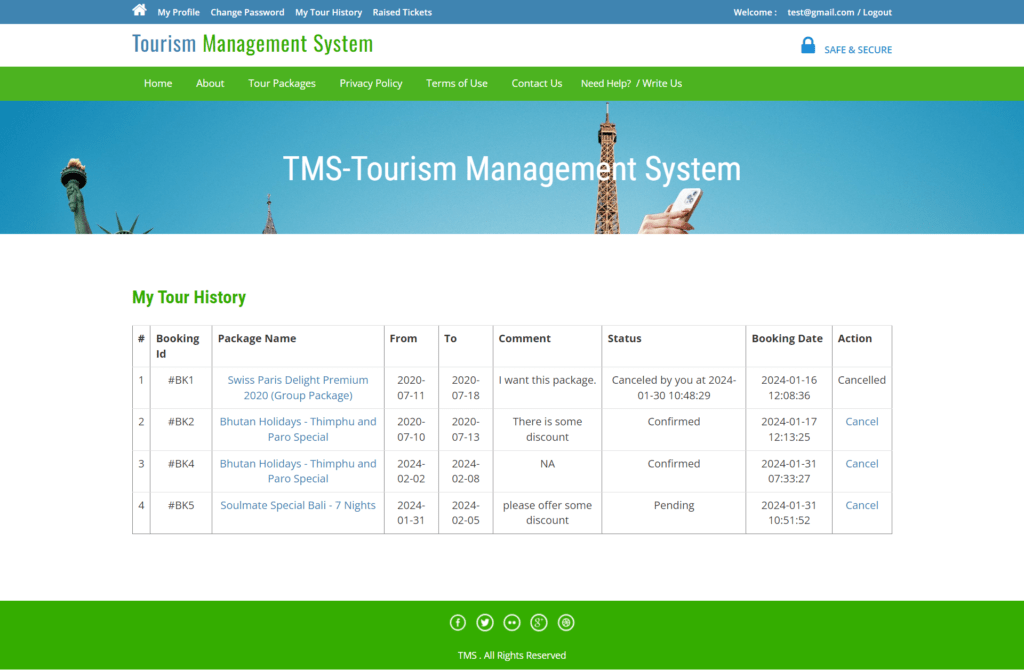
The Tourism Management System developed using PHP and MySQL is a web-based project designed to simplify tour booking and management processes. It has three main modules — Admin, User, and Guest User. The Admin can manage tour packages, users, bookings, inquiries, and complaints through an interactive dashboard. The User can register, log in, browse packages, book tours, manage bookings, generate complaints, and change passwords. Meanwhile, Guest Users can visit the website, explore available tour packages, and send inquiries without registration. Frontend: HTML, CSS, JavaScript, Bootstrap Backend: PHP Database: MySQL IDE: VS Code / Sublime Text Software Required: XAMPP / Wamp / Mamp/ Lamp (anyone)

Modules of Tourism Management System in PHP:

  • Admin
  • Users
  • Guest users

Users:

  • User can register yourself.
  • User can log in with valid email and password.
  • Forgot Password(user Can recover own password)
  • Tour Booking
  • Manage Booking
  • Generate Ticket(Regarding Complaint)
  • change Password

Admin:

  • Admin can create Package
  • Manage packages(Create,Update)
  • Manage Users
  • Manage Inquiries
  • Manage issues
  • Manage Booking
  • Manage Pages
  • Change Password
  • Admin Dashboard

Guest users:

  • Visit the Website
  • Guest user can enquiry

Installation Steps(Configuration):

  • Download and Unzip the file on your local system.
  • Copy tms folder and paste it inside the xampp/htdcos
For Example: C:\xampp\htdocs

Database Configuration:

Open PHPMyAdmin Create Database tms Import database tms.sql (available inside the zip package) Open your browser, put in the URL http://localhost/tms

Login Details for admin :

Open your browser and type in the URL http://localhost/tms/admin
*****Admin login Details*****
Username: admin Password: Test@123
*****Login Details for user*****
Open your browser put in the URL http://localhost/tms/