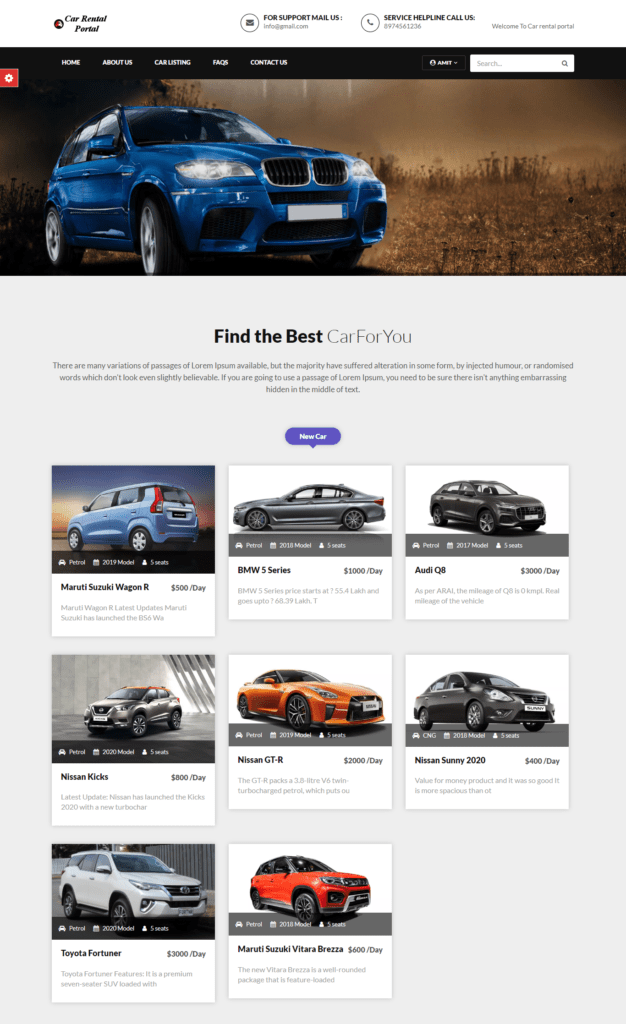
Car Rental Project in PHP and Mysql

Get it Now!

200.00

Price is in US dollars and excludes tax

Get it Now!

Price is in US dollars and excludes tax

Description.

Car rental project using PHP is a web based application. It is a system design especially for large, premium and small car rental business. The car rental system provides complete functionality of listing and booking car. Project Name: Car Rental Portal Language Used:PHP5.6, PHP7.x,PHP8.x Database MySQL: 5.x,MySQL 8.x User Interface Design: HTML, AJAX,JQUERY,JAVASCRIPT Web Browser: Mozilla, Google Chrome, IE8, OPERA Software: XAMPP / Wamp / Mamp/ Lamp (anyone)

Project Modules:

Car Rental Portal Developed using PHP and MySQL. This project has three modules:
  • Users
  • Admin
  • Guest

Guest Users:

Guest user can view the website and check out the information about rental cars. Guest users can also inquiry through contact us page.

Register Users:

Anyone can register through the registration page. After a successful registration user can log in with valid email and password. User can recover own password by providing some registered info.

After successful login user can do the following things:

  • Car Booking
  • View Car booking history
  • Update His/Her profile
  • Update his/her password
  • Post Testimonials
  • View Testimonials
  • Logout

Admin:

Admin is the superuser of the website who can manage everything on the website. Admin can log in through the login page

Admin Features:

  • Admin can create vehicle brands
  • Manage Vehicle Brands(Edit, Delete)
  • Post Vehicle
  • Manage vehicle(Edit,Delete)
  • Manage Booking(Admin can confirm and Cancel Booking)
  • Manage Testimonials (Active and Inactive)
  • Manage to Contact us Query
  • Admin Can the details of registered users
  • admin can also update the page content
  • Admin can update the contact us details
  • Manage Subscribers
  • Admin Dashboard(Admin can view the count of reg users, total booking, total subscribers, total queries, etc)
  • Change Password(admin can change own password)
  • logout

How to run Project:

  • Download and Unzip the file on your local system copy carrental.
  • Put carrental folder inside the root directory

Database Configuration:

Open PHPMyAdmin Create Database carrental Import database carrental.sql (available inside the zip package) For User Open Your browser put inside browser http://localhost/carrental
******************Login Details for user************************
Username: test@gmail.com
Password: Test@123
******************For Admin Panel****************************
Open Your browser put inside the browser http://localhost/carrental/admin Login Details for admin:
Username: admin
Password: Test@12345